Clutch
 G2

A Vehicle Listing Ad has one job. A shopper searches for a car, sees a photo, a price and your store name, clicks, and lands on that car.
This month a dealer asked us why some of the traffic from their VLA campaign was landing on pages that had nothing to do with inventory. The campaign was set up to prevent exactly that, so we dug in. Then we checked every automotive Google Ads account we manage.
What a VLA is supposed to do
VLAs run through Performance Max, fed by your inventory in Merchant Center. The listing shows a specific vehicle, and the click should land on that vehicle’s detail page (VDP).
That is the whole argument for VLAs over the third-party marketplaces. On a marketplace, the shopper sees your car next to everyone else’s. With a VLA, the click comes to your website and the lead is yours alone. That only holds if the click lands on the car.
How we set these campaigns up
We build VLA campaigns to stay on Google and stay on inventory:
- No creative assets. We remove the image, video and text assets from the Performance Max campaign, so there is nothing for it to run on the display network or other placements outside Google’s own results. It shows vehicle listings and nothing else.
- Final URL expansion off. This is the setting that lets Google send a click to any page on a site it judges relevant to the search. We turn it off so clicks go to vehicles.
On paper, a campaign built this way has only one place to send a shopper: a vehicle.

What we found
Google’s landing page report said otherwise. In 13 dealer accounts, campaigns built exactly this way had still sent some clicks to the homepage, hours and directions, service, careers, finance and research pages. Those campaigns carry roughly $20,000 a month in VLA spend.
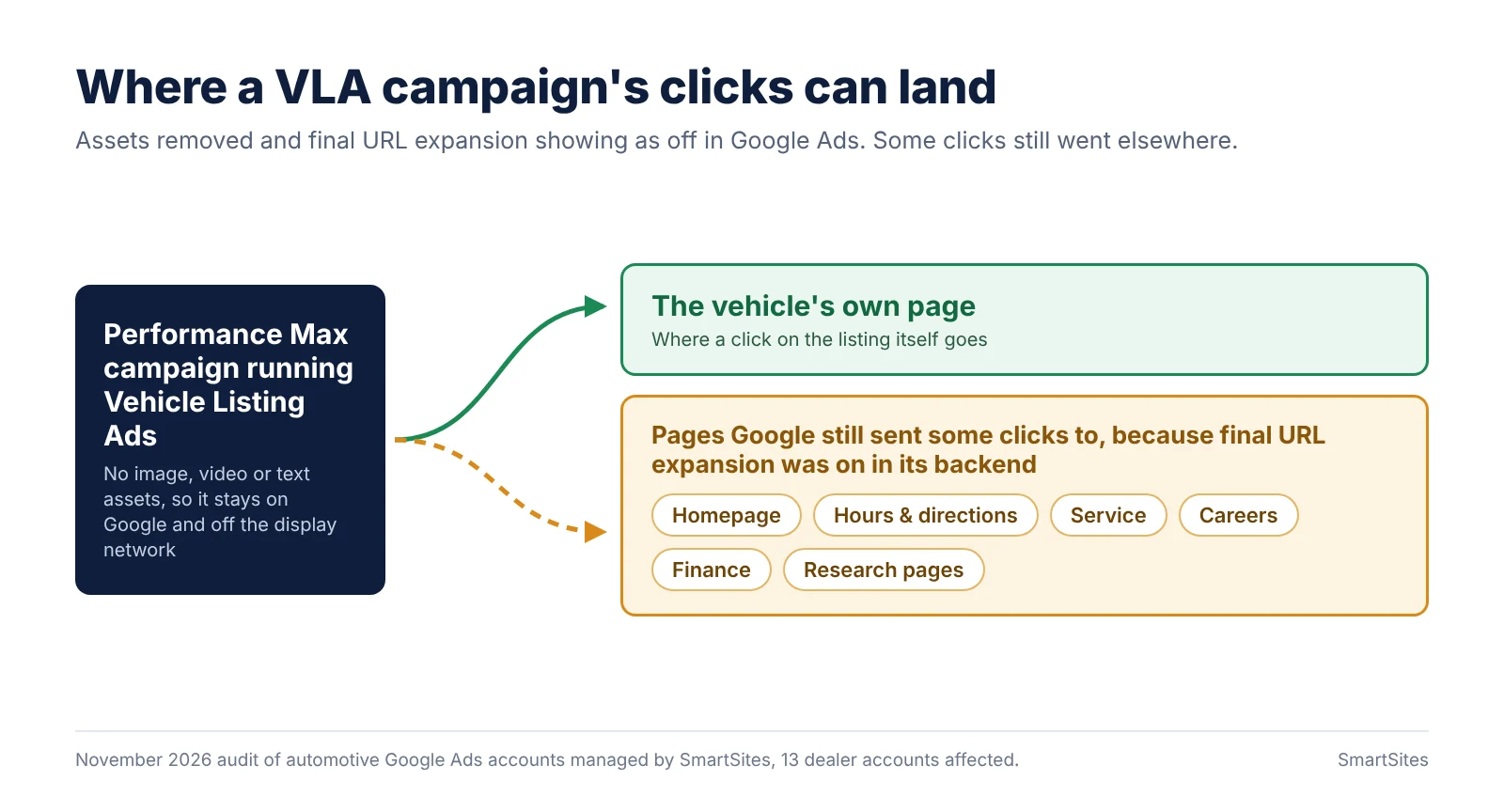
To be clear about that number: it is the spend in the affected campaigns, not the amount that reached the wrong pages. Many of those clicks landed on a vehicle, as intended. But some did not, and none of them should have had the option.
Why it happened: the interface and the backend disagreed
In the Google Ads interface, final URL expansion showed as off in every one of these campaigns. When we read the same campaigns through the Google Ads API, the setting was still on.
Google’s system follows the backend value, not the one on the screen. So it kept choosing its own landing pages, even in campaigns with no assets and with expansion showing as off. There is nothing in the interface that would tell a dealer or an agency this is happening. The only signs are the landing page report and the API.
How we fixed it
- Turned off final URL expansion through the API in 27 campaigns, then confirmed the change through the API, not the interface.
- Set an inventory landing page on 17 asset groups, so if Google ever falls back to a page of its own choosing, the fallback is new or used inventory.
- Added 139 page exclusions covering directions, service, careers, research and model pages, finance and similar. With expansion off, these should never be needed. We added them as a second lock, in case the setting ever flips back.
We now check this setting through the API across our dealer accounts, not only in the interface.
The 5-minute dealer self-check
You do not need API access for most of this. Ask your agency, or open Google Ads yourself.
- Open the landing page report for your VLA campaign. What share of clicks land on pages that are not a VDP or a search results page (SRP)?
- Ask your agency to confirm final URL expansion is off in the backend, not just in the interface. They can read the setting through the Google Ads API.
- Check the campaign’s landing page. If Google does fall back to a page, it should be new or used inventory.
- Confirm URL exclusions exist for service, directions, careers, finance and research pages.
If question 2 gets a blank look, that is your answer.
Own your clicks, all the way to the car
VLAs beat the marketplaces because you own the click and the lead. That only works when the click lands on the car.
This is not specific to one dealer or one agency. Any dealer running VLAs through Performance Max can be affected, because the screen everyone checks says the setting is off.
If you want a second set of eyes, SmartSites will audit your VLA campaigns for free: landing pages, expansion settings and exclusions. Request a free VLA audit.
“We've seen substantial growth in organic traffic, non-branded search visibility, and overall digital engagement since working with them.”
 Danielle ColucciToyota of Stamford