
 Clutch
 G2
G2
The Google Merchant Center is a free tool that lets business owners promote their products on Google. By submitting product data, you keep your store information and product details current for Google Shopping ads (which used to be called Product Listing Ads) and free listings. Google has added several features over the years that reward good service and show you how your products perform. Here are the ones every merchant should know about.
The Shopping Experience Scorecard rewards great customer service
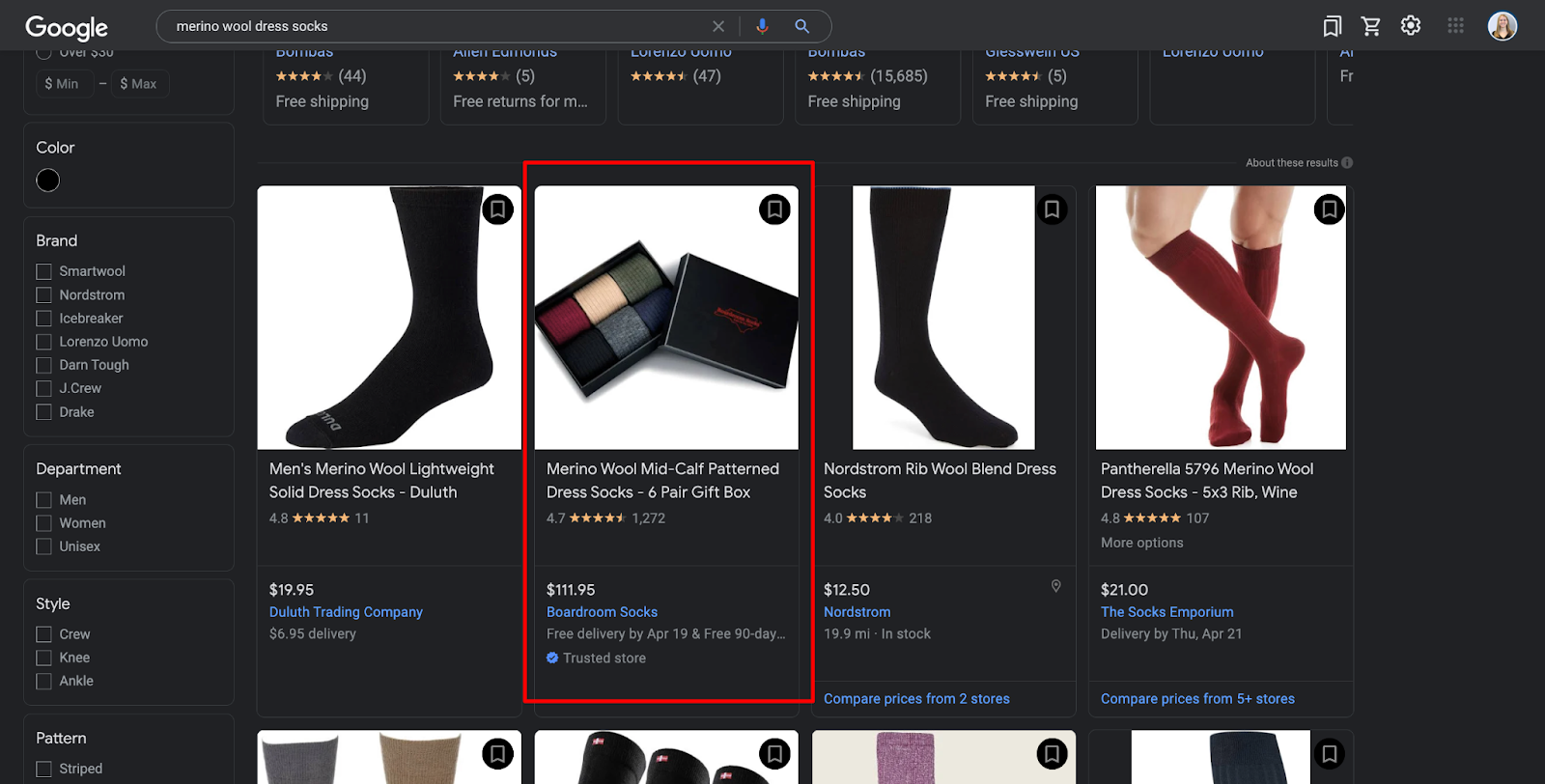
Google introduced the Shopping Experience Scorecard in 2022 to recognize merchants who give shoppers an excellent experience. Merchants that score well can earn benefits that include a “trusted store” badge on their listings and, in Google’s words, better visibility and other benefits. The program was created to encourage a great shopping and customer experience. Availability has depended on your location and your Merchant Center program settings, so check the Help Center to see whether it applies to your store.
Boardroom Socks, a family-owned ecommerce store that sells premium men’s dress socks, was one of our first clients to earn the Trusted Store badge:
How the scorecard works
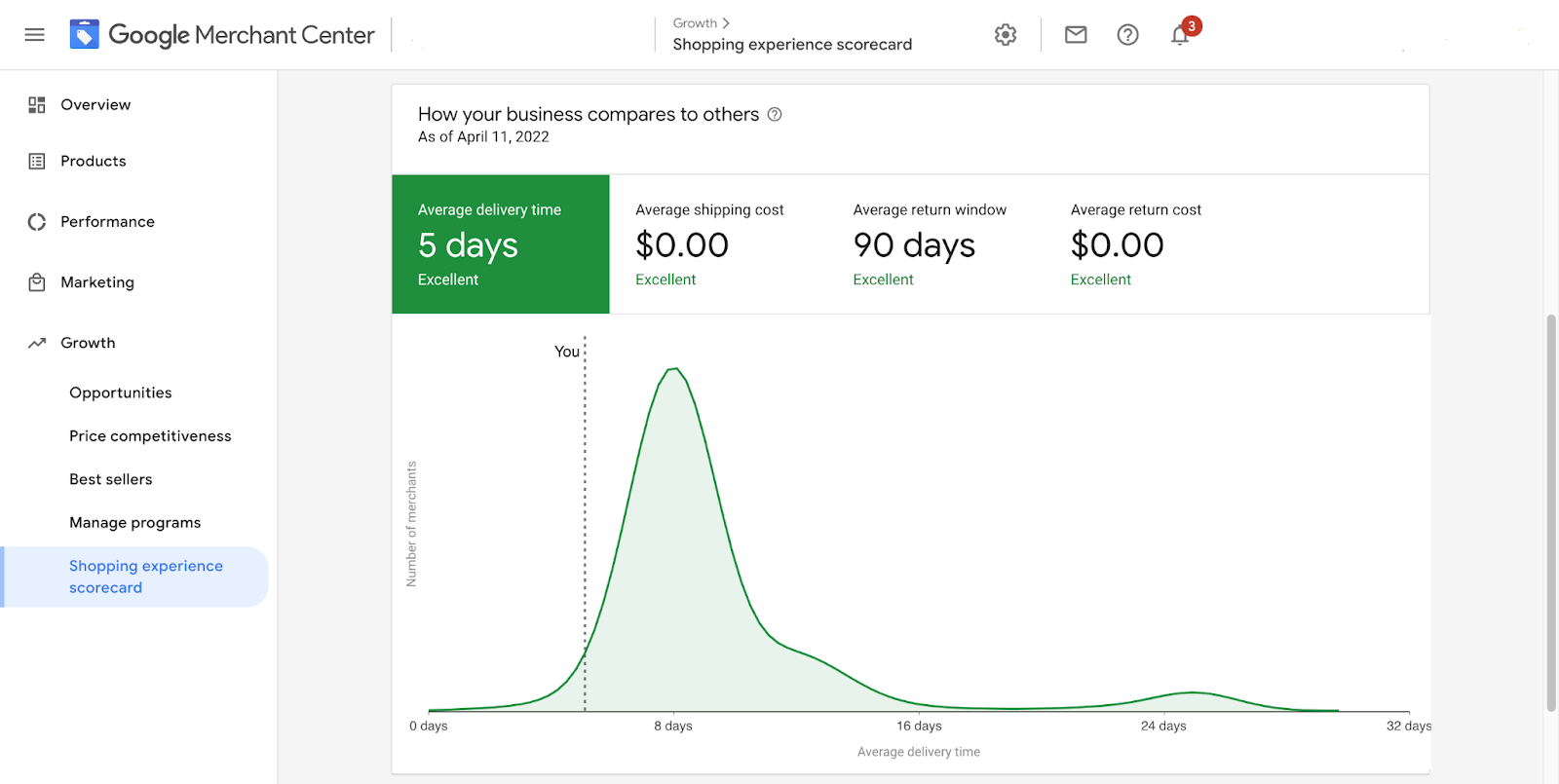
Google compares your store with other merchants in free shopping listings across four categories: shipping speed, shipping cost, return cost and return window. Each category gets a rating of “Excellent,” “Comparable” or “Opportunity.” To be eligible for a badge, you must provide complete information for all four categories. The metrics from each category are combined into a weighted score over a set period.
Google said at launch that merchants displaying a trusted badge were more likely to receive clicks, and that lesser-known merchants could see stronger traffic. The scorecard rolled out in stages, so not every store saw it right away.
Where to find your scores
To find your Google Shopping experience scorecard, follow these steps. Google has reorganized Merchant Center in recent years, including the move to Merchant Center Next, so menu names may differ slightly in your account:
- Log into Google Merchant Center.
- Open the Growth section in the left-hand menu, or look in the store quality or settings area if you do not see it.
- Select Shopping Experience Scorecard.
How to improve your scorecard ratings
The four categories are all things you control. Ship quickly and state your delivery times clearly. Consider free or low-cost shipping and returns if your margins allow. Offer a generous return window, and make sure the shipping and return policies you submit to Merchant Center match your website. Accurate, consistent information is also what earns shopper trust.
Insights reports show how your free listings perform
Merchant Center also includes reporting that shows how your products perform on free listings and Shopping ads. You can see total traffic, impressions, clicks and conversions for your product listings, so you know which products attract attention and which do not.
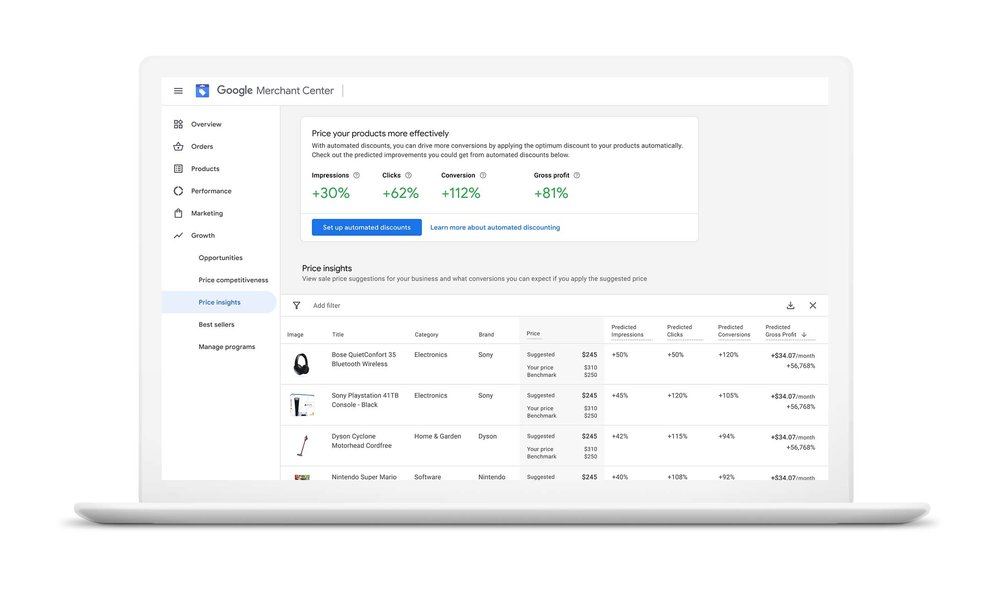
Pricing insights, formerly called the price competitiveness report, show how your prices compare with a benchmark price for the same products from other merchants. The report helps you spot items that are priced well above or below the market, and it can include suggestions for sale prices. In Merchant Center Next, you can find it in the Analytics section under Products and Pricing, and in older versions it sat in the Growth section. Best sellers and competitive visibility reports show which products are popular in your category and how your visibility compares.

Keep your product data clean to benefit from every feature
These features all depend on accurate product data. Keep titles, descriptions, images, prices and availability up to date, and fix any diagnostics errors in your account. Google also uses Merchant Center data in the shopping experiences within its AI-powered search, so complete product information helps your products show up in more places.
If you are a savvy ecommerce store owner, it pays to keep up with Merchant Center’s features so that you can use them to promote your store and products. Want help with your Shopping campaigns and feeds? Get a Free Proposal from SmartSites, and stay tuned to our blog for more updates on Google’s offerings.
“I'm impressed with SmartSites and highly recommend them. I feel like my small business has its own IT department.”
 Nicholas De MetroMontclair Divorce Mediation