
Quick Summary
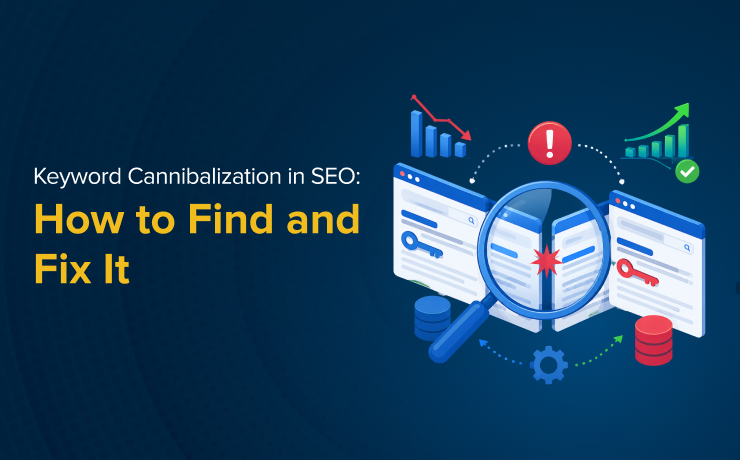
Keyword cannibalization in SEO happens when multiple pages on your website compete for the same keyword or search intent, making it harder for either page to rank well. This can split ranking authority, confuse Google, and reduce overall SEO performance. The good news is that not every overlap is harmful, and many issues can be resolved with strategic updates. This guide explains how to identify cannibalization, determine whether it’s actually hurting performance, and apply the right fix based on your site’s goals. It also covers prevention strategies to keep future content organized and optimized.
Picture this: you’ve published two solid pages on your website, both targeting the same topic, and instead of dominating the search results, neither one ranks well. Traffic stalls. Impressions plateau. You’re competing with yourself, and Google doesn’t know which page to reward. That’s keyword cannibalization in SEO at work, and it’s one of the sneakier performance killers in SEO.
The good news is that it’s diagnosable, fixable, and preventable. This guide gives you a practical decision framework (not just the theory) so you can identify what’s actually happening on your site and choose the right fix.
What Is Keyword Cannibalization?
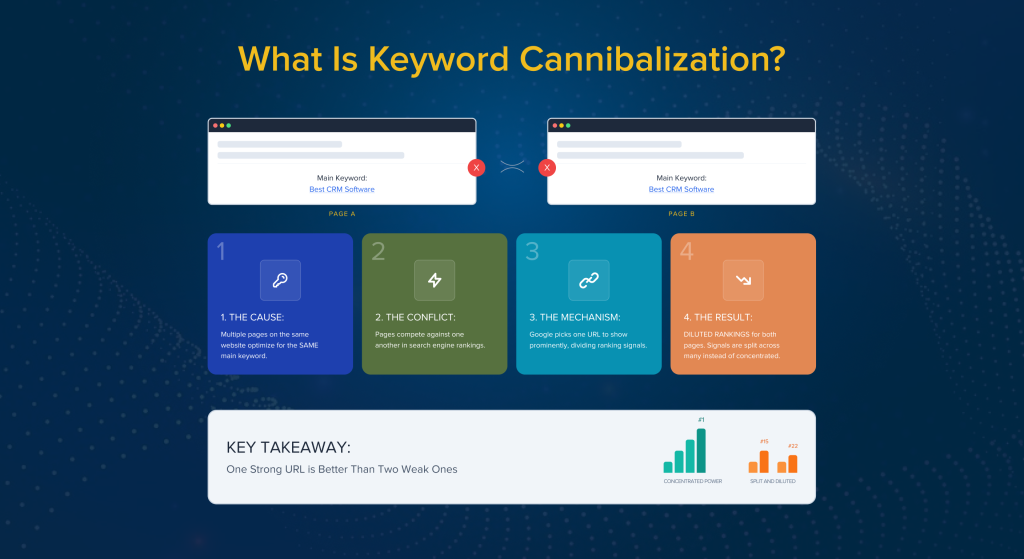
Keyword cannibalization occurs when multiple pages on the same website are optimized for the same main keyword, leading them to compete against one another in search engine rankings. Because Google generally picks one URL per query to show prominently, having multiple pages fight for the same keyword splits your ranking signals (backlinks, internal link equity, engagement data) across pages instead of concentrating them on one strong URL. The result is diluted rankings for both.
Keyword Cannibalization vs. Content Cannibalization
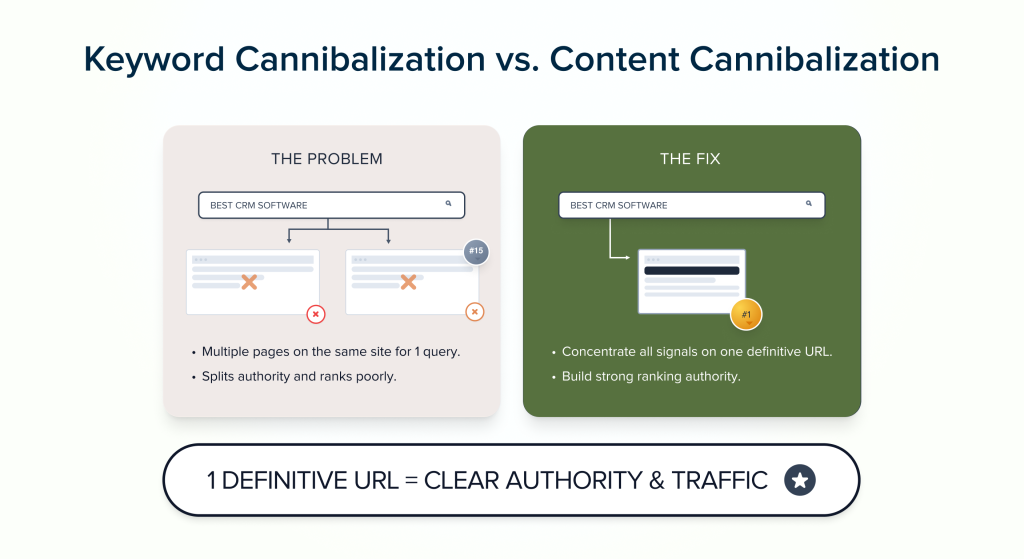
These two terms get used interchangeably a lot, but they’re not the same thing. Keyword cannibalization is specifically about two pages targeting the same keyword. Content cannibalization is broader; it refers to topical overlap even when the exact keywords differ. You can have content cannibalization without a single shared keyword if two pages are clearly written for the same user need.
Keyword Cannibalization vs. Search Intent Overlap
Sometimes pages target different keywords but satisfy the same search intent. A page targeting “best CRM software” and another targeting “top CRM tools” may look distinct on paper, but they’re identical in what the user expects to find. When Google sees the same intent served twice, it has to pick one, and the other page loses out.
Is Keyword Cannibalization Actually Bad?
Here’s the honest answer: not always.
Most SEO content treats cannibalization as an automatic red flag, but the actual impact depends entirely on how your pages are performing. The issue becomes real and worth fixing in these situations:
- Both pages are stuck on page 2 or 3, with neither breaking into top positions
- The wrong page is ranking (for example, a blog post outranking your service page for a high-intent commercial query)
- Internal link equity is being split, which weakens both pages instead of building one authoritative URL
- Click-through rate is suffering because the ranking URL doesn’t match what the user actually wanted to find
That said, cannibalization is not a problem when:
- One page clearly dominates and the other receives near-zero impressions, meaning the stronger page has already won
- The two pages target different searcher intents that happen to share keyword phrasing, like informational versus transactional
Before you start merging and redirecting pages, confirm you actually have a problem. Check the data first.
How to Find Keyword Cannibalization Issues
Here are five reliable methods, ranked from free and fastest to most thorough.
Method 1: Google Search Console (Free and Fastest)
Google Search Console is the best starting point because it shows you real impression and click data.
- Go to Performance > Search Results
- Filter by a query you suspect is causing cannibalization
- Click the Pages tab
- If two or more URLs are showing meaningful impressions for the same query, you have a cannibalization candidate
Pay close attention to which URL Google is choosing on any given day. If it keeps switching between two pages, that’s a strong signal something is off.
Method 2: The site: Search Operator
A quick manual check: go to Google and search site:yourdomain.com “target keyword”. If multiple pages appear, they’re all potential contenders for that query. This method won’t show you ranking position or impressions, but it’s a fast way to see what’s indexed and potentially overlapping.
Method 3: Crawl Plus Keyword Mapping Spreadsheet
For a more systematic audit, export all your URLs using a crawler like Screaming Frog, Ahrefs, or Semrush. Add a column to the export for each page’s primary target keyword (you may need to fill this in manually based on your existing keyword map or title tags). Sort by that column, and any keyword that appears more than once is a cannibalization risk. This method scales well for larger sites.
Method 4: Rank Tracking with URL Monitoring
If you’re already using a rank tracking tool, set it up to monitor the specific ranking URL for your most important keywords, not just the position number. When you see the URL associated with a keyword flip back and forth between two pages over time, that’s one of the clearest signs of active cannibalization. Google is essentially indecisive because your site is sending mixed signals.
Method 5: Purpose-Built Reports in Ahrefs or Semrush
Both platforms have features designed specifically for this. In Ahrefs, you can filter the Organic Keywords report to surface keywords where multiple pages on your domain are ranking. Semrush has a dedicated Cannibalization Report. These tools are great for ongoing monitoring, but they shouldn’t be your only method. Always cross-reference with real data from GSC.
These tools are excellent for ongoing monitoring, but they shouldn’t replace Google Search Console. Always validate findings using real performance data from GSC.
How to Fix Keyword Cannibalization (Decision Framework)
Once you’ve confirmed the issue, the fix depends on why the overlap exists in the first place. A simple two-step process gets you there.
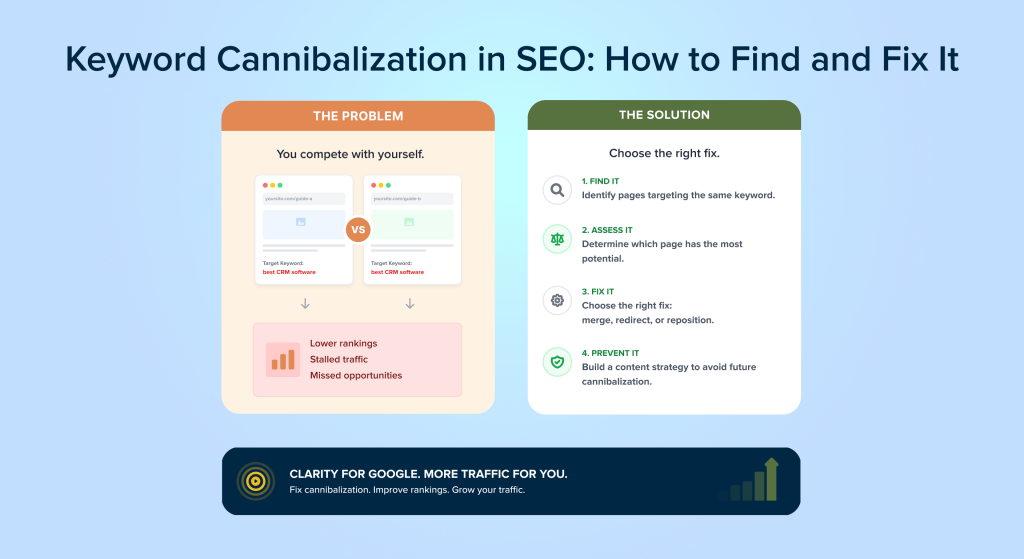
Step 1: Decide which page should rank. Which URL better matches the searcher’s intent? Which one has more backlinks, stronger engagement, or more commercial relevance? That’s your winner. The other page is your secondary.
Step 2: Choose the right fix based on the situation.
Fix 1: Merge and 301 Redirect (Most Common Fix)
When to use it: Two pages overlap significantly in topic, both have some useful content, and one is clearly stronger than the other.
How to do it: Pull the best sections from both pages and combine them into one comprehensive, updated page. Then set up a 301 permanent redirect from the weaker URL to the winner. Make sure to preserve any backlinks pointing to the retired page, since the redirect passes that link equity to the surviving URL.
This is the right move in most cases because it consolidates your signals and gives Google one clear, authoritative answer to work with.
Fix 2: De-Optimize the Secondary Page
When to use it: Both pages should continue to exist because they serve genuinely different purposes, but their on-page SEO has accidentally overlapped.
How to do it:
- Rewrite the title tag and H1 of the secondary page to target a different, more specific keyword
- Update any internal links pointing to that page so the anchor text reflects the new focus
- Adjust the body content to reinforce the new keyword, removing or reframing the sections that caused the overlap
This is the right fix when the pages cover related but distinct subtopics and you want both to stay indexed and ranking on their own terms.
Fix 3: Canonicalize One URL to the Other
When to use it: You genuinely need both pages accessible (for example, a printable version or a filtered product page) but don’t need both indexed by Google.
How to do it: Add a rel=”canonical” tag to the secondary page pointing to the primary. This tells Google which version to index and credit with ranking signals, while keeping the secondary URL functional for users.
One important note: don’t canonicalize pages that have meaningfully different content. Canonical tags are designed for true duplicates or near-duplicates, and using them on substantially different pages can backfire.
Fix 4: Noindex the Weaker Page
When to use it: The secondary page serves a purpose for users (think a thin category page, a tag archive, or a location-filtered listing) but adds no unique SEO value and keeps pulling ranking signals away from a stronger page.
How to do it: Add a <meta name=”robots” content=”noindex”> tag to the page. It stays accessible to users but gets removed from Google’s index. This is a lighter-touch option compared to a redirect when you want to preserve the URL for internal navigation or user experience reasons.
Preventing Cannibalization Before It Starts
The best time to solve a cannibalization problem is before it happens. A few simple habits go a long way:
- Keep a keyword map. Maintain a spreadsheet that assigns one primary target keyword to each URL on your site. Before publishing anything new, check whether that keyword already has a home.
- Be intentional with internal links. When you link to a page internally, use anchor text that reinforces its target keyword. Avoid using the same anchor text to point at multiple different pages.
- Do a content audit once a year. Sites evolve, writers change, and overlaps creep in over time. A yearly review of your top pages to check for keyword duplication keeps the problem from quietly compounding.
A Smarter Approach to Stronger SEO Performance
Keyword cannibalization is fixable, and in many cases it’s not as catastrophic as it initially sounds. Left unaddressed, though, it quietly drains authority from pages that should be performing much better. The key is accurate diagnosis: use Google Search Console to confirm the problem is real, figure out which page should win, then apply the right fix based on your specific situation.
If your site is showing signs of stalled rankings or pages that seem like they should be ranking higher, a cannibalization audit is a solid place to start. SmartSites offers comprehensive SEO services that include exactly this kind of site-level analysis. Contact us to learn more.
Frequently Asked Questions
What is keyword cannibalization in SEO?
Keyword cannibalization in SEO happens when multiple pages on the same website target the same keyword or search intent. Instead of strengthening one page’s authority, the pages compete against each other in search results. This can confuse Google, split ranking signals, and reduce the visibility of all competing pages. Proper keyword mapping and content planning help prevent this issue.
Is SEO dead or evolving in 2026?
SEO is far from dead, but it is constantly evolving. In 2026, search engines place greater emphasis on user intent, helpful content, page experience, and AI-driven search results. Traditional tactics like keyword stuffing no longer work effectively. Businesses that focus on high-quality content, technical optimization, and strong user experiences continue to see long-term SEO success.
What is the 80/20 rule for SEO?
The 80/20 rule for SEO refers to the idea that roughly 80% of SEO results often come from 20% of efforts. In many situations, just a handful of top-performing pages, target keywords, or quality backlinks generate most of a website’s organic traffic. This principle encourages marketers to focus on the most impactful optimization opportunities rather than spreading resources too thin across low-value tasks.
What are the 3 C’s of SEO?
The 3 C’s of SEO commonly stand for content, code, and credibility. Content refers to creating useful, relevant information that satisfies search intent. Code covers technical SEO factors like site speed, mobile usability, and crawlability. Credibility relates to trust signals such as backlinks, authority, and user engagement, which help search engines determine whether your site deserves strong rankings.
 Free
Consultation
Free
Consultation Free
Google Ads Audit
Free
Google Ads Audit